Custom Domains
This guide will go over how to connect a custom domain to your rayhl.org server.
You will need:
- A domain from a site like cloudflare, namecheap, hostinger, etc.
- Access to the DNS settings of the domain.
Step 1:
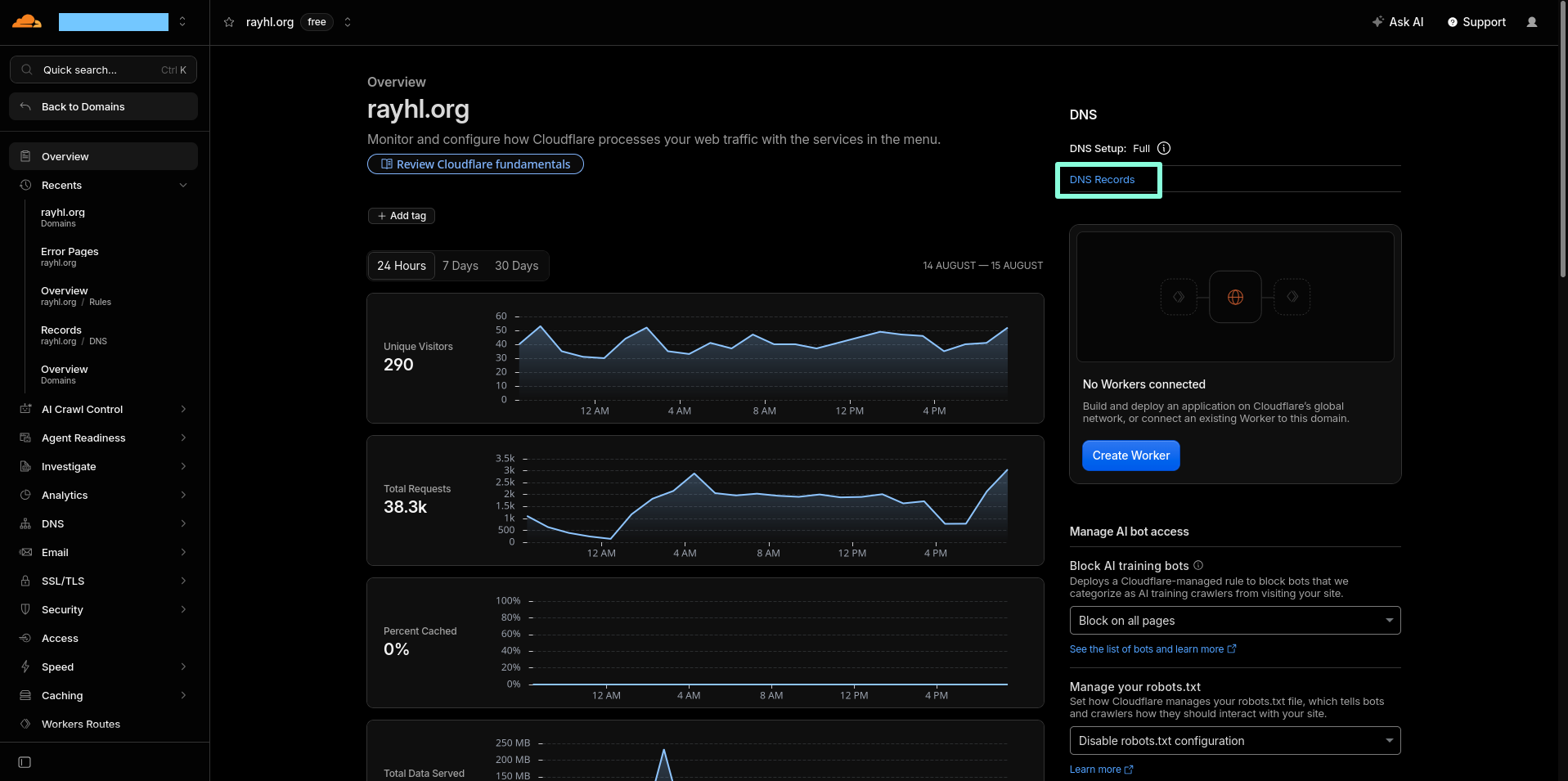
Go to your domain registrar's website. In this example, I will be using cloudflare.
Locate the DNS record setup of the domain you wish to use.
Step 2:
Click "Create a Domain" or similar
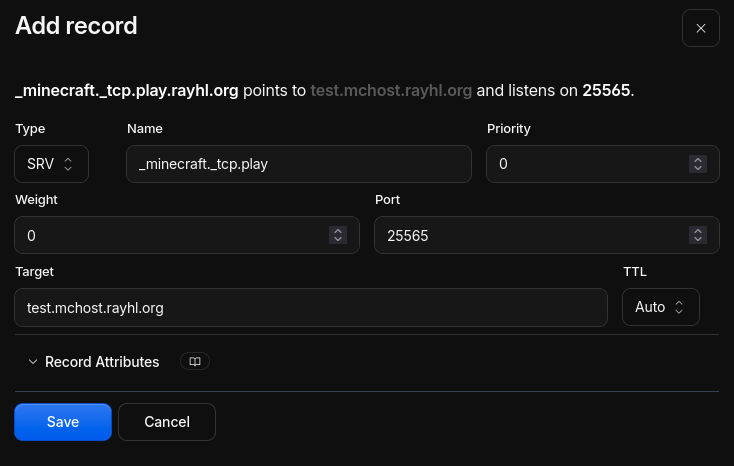
You want to create a record with the type of SRV.
The Name field should contain _minecraft._tcp. and then
your subdomain. For example; _minecraft._tcp.play would be
play.domain.tld
Priority and Weight can both be set to 0.
The port should be 25565 and the TTL to
Auto or the lowest you can.
The target should be your current server's IP. View this guide to learn how to get your server's IP.
Step 3:
Allow up to 24 hours to pass if you cannot immediately connect with your new IP.
Your ISP, DNS provider/caching and a variety of other factors can play into why you must wait.